5-axis CNC programming is the process of creating toolpaths for a 5-axis CNC machine. The programmer needs to decide how the cutting tool moves, how the part rotates, how to avoid collision, and how to machine difficult areas safely.
For a simple 3-axis part, the tool usually moves from one direction.
For a 5-axis part, the tool may tilt, the table may rotate, or both may move at the same time.
That extra movement gives the machine much better access to the part, but it also means the programming has to be more careful.
A wrong tool angle, a poor retract move, or an incorrect post processor can easily cause tool marks, poor surface finish, or even collision.
What Is 5-Axis CNC Programming?
5-axis CNC programming is the CAM programming work used to control a 5-axis CNC machine.
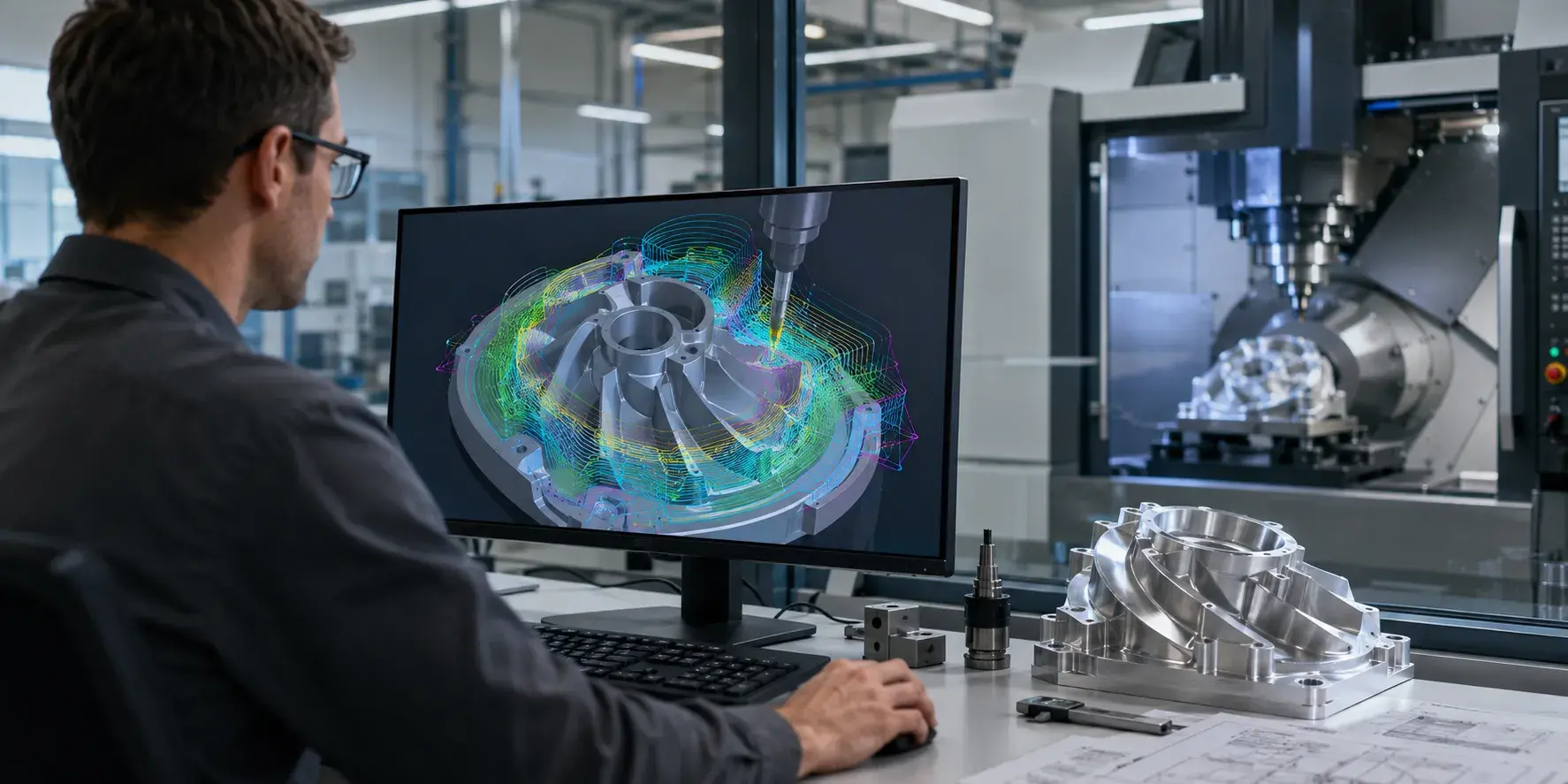
The programmer starts with a CAD model, checks the part structure, chooses the machining strategy, creates toolpaths, simulates the machine movement, and outputs the final NC code for the CNC controller.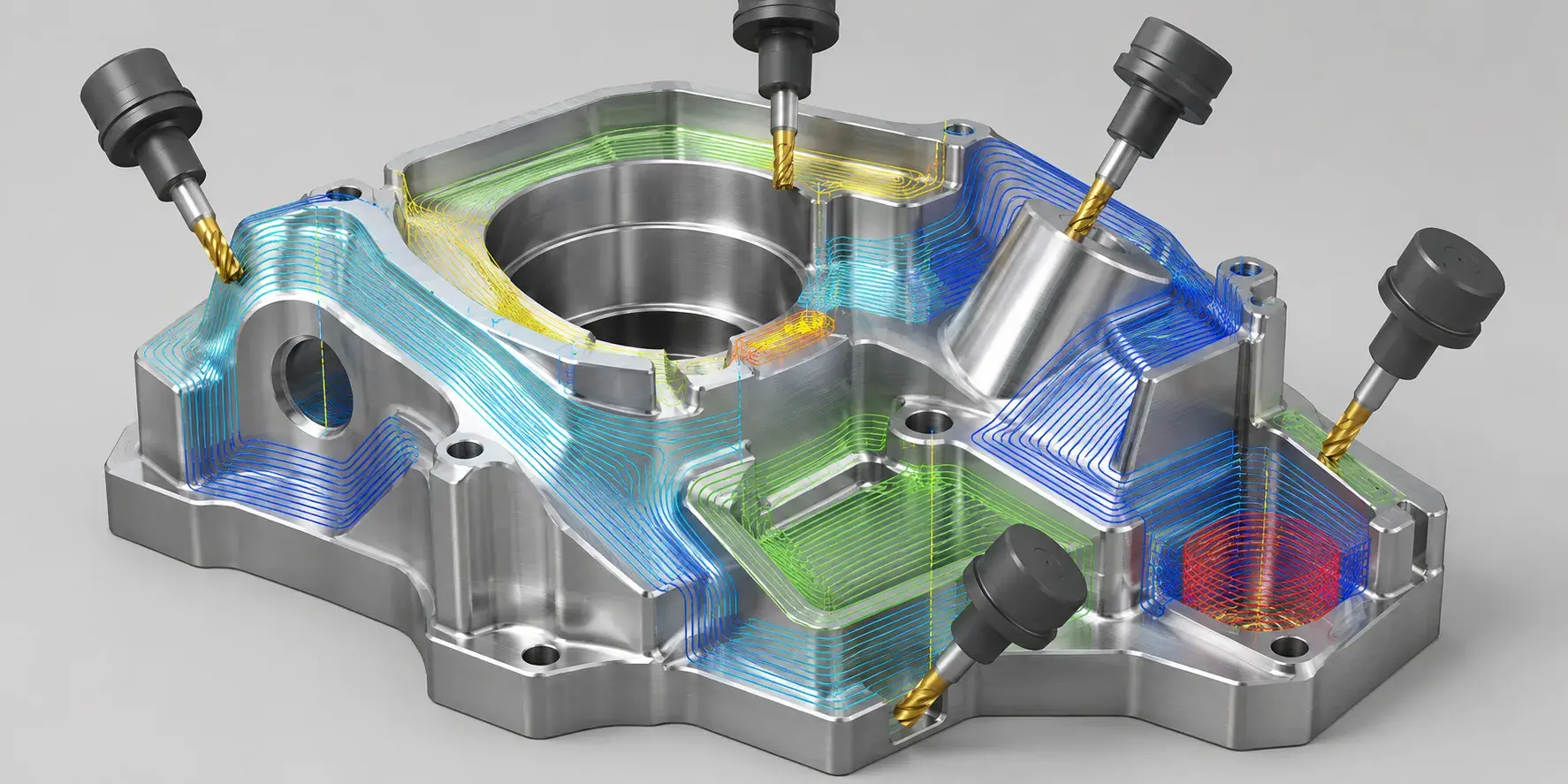
In real production, the programmer is not just “clicking buttons” in CAM software.
He needs to think about questions like:
- Can the tool reach this area safely?
- Will the holder hit the part?
- Is the tool too long?
- Will the rotary axis over-travel?
- Can the machine cut this surface smoothly?
- Is this better with 3+2 machining or simultaneous 5-axis machining?
These small decisions directly affect the final part quality.
For complex aerospace, medical, robotics, and aluminum housing parts, good programming can save a lot of machining trouble before the machine even starts cutting.
Why Is 5-Axis Programming More Difficult Than 3-Axis Programming?
In 3-axis CNC programming, the tool usually stays in a fixed direction. The cutter moves along X, Y, and Z, while the part stays still.
That makes the toolpath easier to control.
With 5-axis CNC programming, the machine adds two rotary axes. These rotary movements may come from the table, the spindle head, or a combination of both. The tool can approach the part from different angles, which is great for complex geometry.
But this also brings more risk.
A toolpath may look fine on the CAD model, but once the real machine rotates, the holder may get too close to the wall. A clamp may block the tool. The tool may enter a deep pocket at a bad angle. The rotary axis may swing through an unsafe path.
That is why 5-axis programming needs strong simulation and real machining experience.
The CAM software can generate the path, but the programmer still has to judge whether that path makes sense on the actual machine.
3+2 Programming vs Simultaneous 5-Axis Programming
Many people mix up 3+2 machining and simultaneous 5-axis machining.
They are related, but they are not the same.
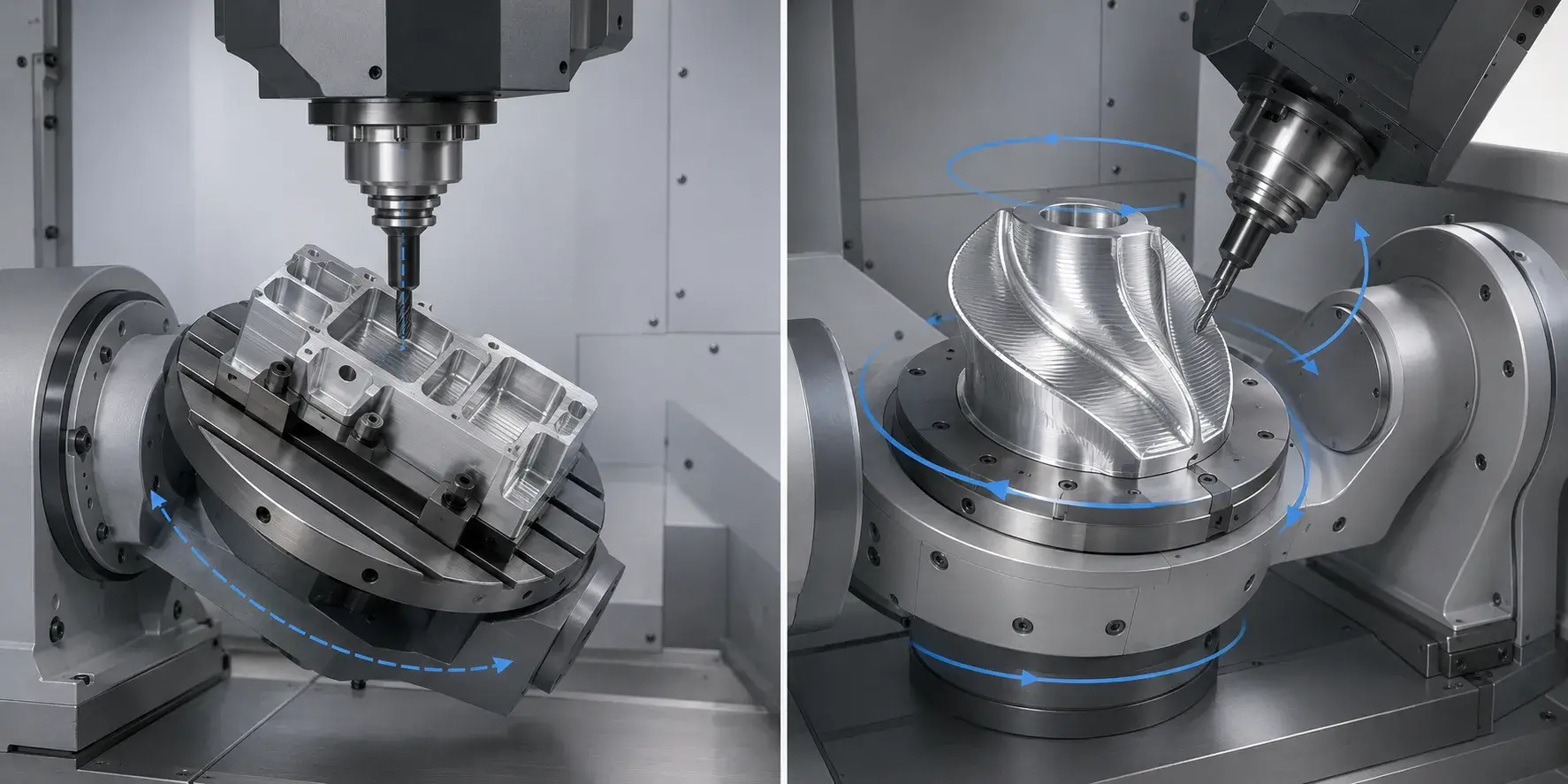
In 3+2 machining, the machine rotates the part or tool to a fixed angle, then cuts like a 3-axis machine. After that operation is finished, the machine rotates to another angle and cuts again.
This is very useful for angled holes, side features, and multi-face parts. It is often more stable and easier to control than full simultaneous machining.
Simultaneous 5-axis machining means all five axes can move together during cutting. The tool angle keeps changing while the cutter moves along the surface.
This is useful for complex curves, turbine blades, impellers, medical implants, and freeform surfaces.
For many precision parts, 3+2 machining is already enough.
For very complex surfaces, simultaneous 5-axis machining may be needed.
A good programmer will not choose simultaneous 5-axis just because it sounds advanced. The better choice is the one that makes the part stable, accurate, and cost-effective.
Main Steps in 5-Axis CNC Programming
A good 5-axis programming workflow usually starts long before the toolpath is created.
The programmer needs to read the drawing carefully and understand what really matters on the part. Some dimensions may be general. Some surfaces may be cosmetic. Some holes or datums may control the entire assembly.
That difference matters.
Once the key features are clear, the programmer can decide the machining order. For example, roughing may be done with stronger tools, while finishing may need shorter tools, smaller cutters, or special tool angles.
For deep cavities or undercuts, tool access becomes the biggest question. The tool must reach the cutting area without the spindle, holder, or fixture hitting the part.
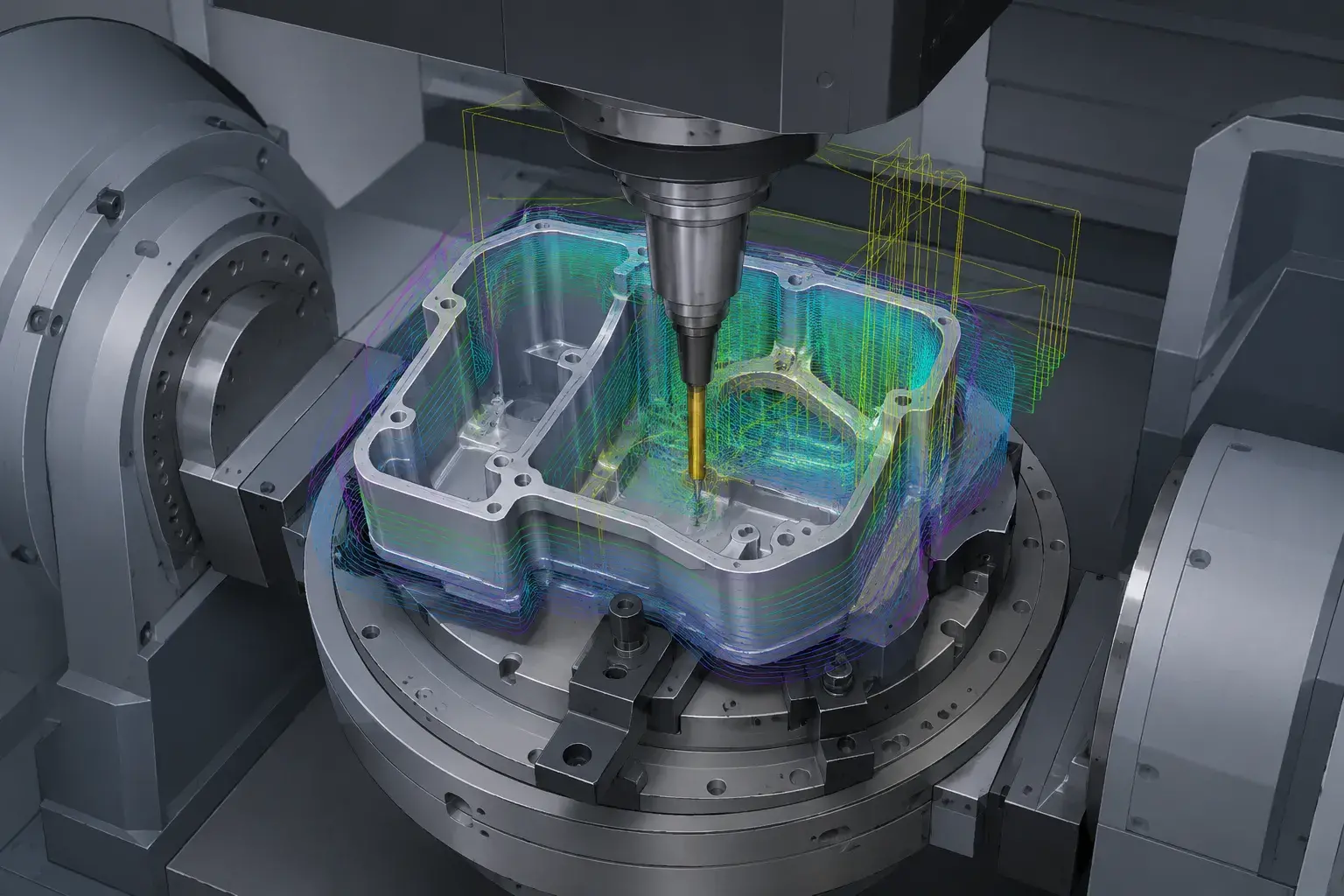
After the toolpaths are created, simulation is needed. This step checks collision, overtravel, wrong tool angle, remaining material, fixture clearance, and rotary axis movement.
Then the post processor converts the CAM toolpath into machine-readable NC code.
This part is very important. A 5-axis toolpath must match the actual machine structure and controller. A post processor for one machine may not work correctly on another machine, even if both are called 5-axis machines.
Tool Axis Control Matters a Lot
Tool axis control is one of the most important parts of 5-axis programming.
In simple words, it means controlling the angle of the cutting tool during machining.
For some parts, the tool only needs to stay at a fixed angle. For others, the tool angle changes constantly to follow the surface.
Good tool axis control can help reduce tool overhang, avoid collision, improve surface finish, and make cutting more stable.
Bad tool axis control can do the opposite.
For example, if the tool is tilted too much, the holder may hit the wall. If the tool is too vertical in a deep cavity, the cutting length may be too long and vibration may appear. If the tool angle changes too sharply, the surface may show marks.
This is where experience becomes very valuable.
The CAM software can provide options, but the programmer needs to know which one works best for the real part.
Collision Avoidance in 5-Axis Programming
Collision avoidance is a major part of 5-axis CNC programming.
In 5-axis machining, the tool, holder, spindle, fixture, rotary table, and workpiece are all moving in a more complex relationship. A small mistake can cause serious damage.
Common collision risks include:
- Tool holder hitting the side wall
- Spindle getting too close to the part
- Rotary table moving into the fixture
- Tool entering a deep pocket at the wrong angle
- Clamp blocking the toolpath
- Wrong retract movement between operations
This is why professional 5-axis machining usually requires full machine simulation.
A simple CAM preview is not always enough. The simulation should include the real tool, holder, fixture, machine structure, rotary axis travel, and workpiece position.
For difficult parts, this step can prevent expensive mistakes.
Why the Post Processor Is So Important
The post processor is easy to ignore, but it is one of the most important parts of 5-axis programming.
CAM software creates the toolpath, but the CNC machine cannot directly use that raw CAM data. The post processor converts it into NC code that the machine controller can understand.
For 3-axis machining, post processing is usually more straightforward.
For 5-axis machining, it becomes much more sensitive.
The post processor needs to match the machine kinematics, rotary axis direction, controller format, tool center point settings, retract logic, and safety movements.
If the post is wrong, the machine may move in a way that looks completely different from the CAM simulation.
That is why 5-axis posts should be tested carefully. For a new part, many shops will simulate the code, dry run the program, and check critical movements before real cutting.
Common 5-Axis CNC Programming Mistakes
One common mistake is using a tool that is too long.
Long tools may be needed for deep cavities, but they can also cause vibration, poor surface finish, and tool deflection. A good programmer will try to reduce tool overhang whenever possible.
Another mistake is ignoring holder clearance.
The cutter may reach the surface, but the holder may still hit the wall. This happens often in deep pockets, undercuts, and narrow internal features.
Poor machining order is also a problem.
If too much material is removed too early, the part may lose support and deform. This is especially common with thin-wall aluminum parts.
Some programmers also rely too much on automatic CAM strategies. Automatic toolpaths can be useful, but complex 5-axis parts still need human judgment.
A safe-looking toolpath on screen may not be the best toolpath for the machine.
What CAM Software Is Used for 5-Axis Programming?
Many professional CAM systems can be used for 5-axis CNC programming, such as hyperMILL, Mastercam, Siemens NX CAM, PowerMill, Fusion, and ESPRIT.
The software is important, but it is not the whole story.
A good CAM system can provide strong toolpath strategies, collision checking, simulation, and post processing support. But the final result still depends on the programmer’s understanding of machining.
The programmer needs to know how the material cuts, how the tool behaves, how the machine moves, and where the part may deform.
This is especially true for parts with deep cavities, thin walls, small internal radii, and tight tolerance requirements.
Good software helps a lot.
Good machining judgment matters just as much.
How YUANYI Handles 5-Axis CNC Programming
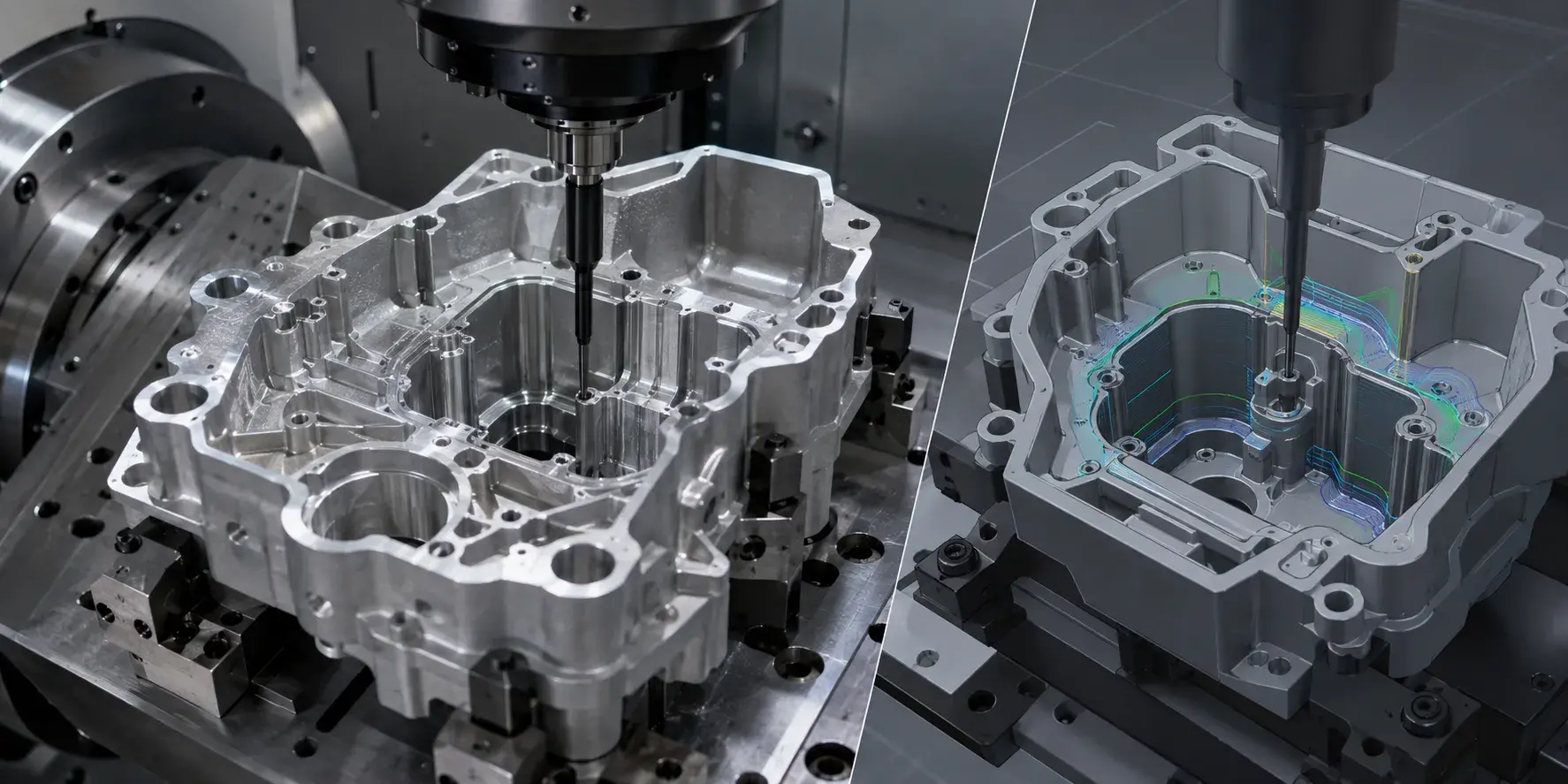
At YUANYI, 5-axis programming starts with a careful review of the CAD model, drawings, tolerances, material, and machining risks.
For complex parts with deep cavities, undercuts, or narrow tool access, our engineers check the toolpath before machining. Tool length, holder clearance, fixture position, rotary axis movement, and possible collision points are all reviewed in advance.
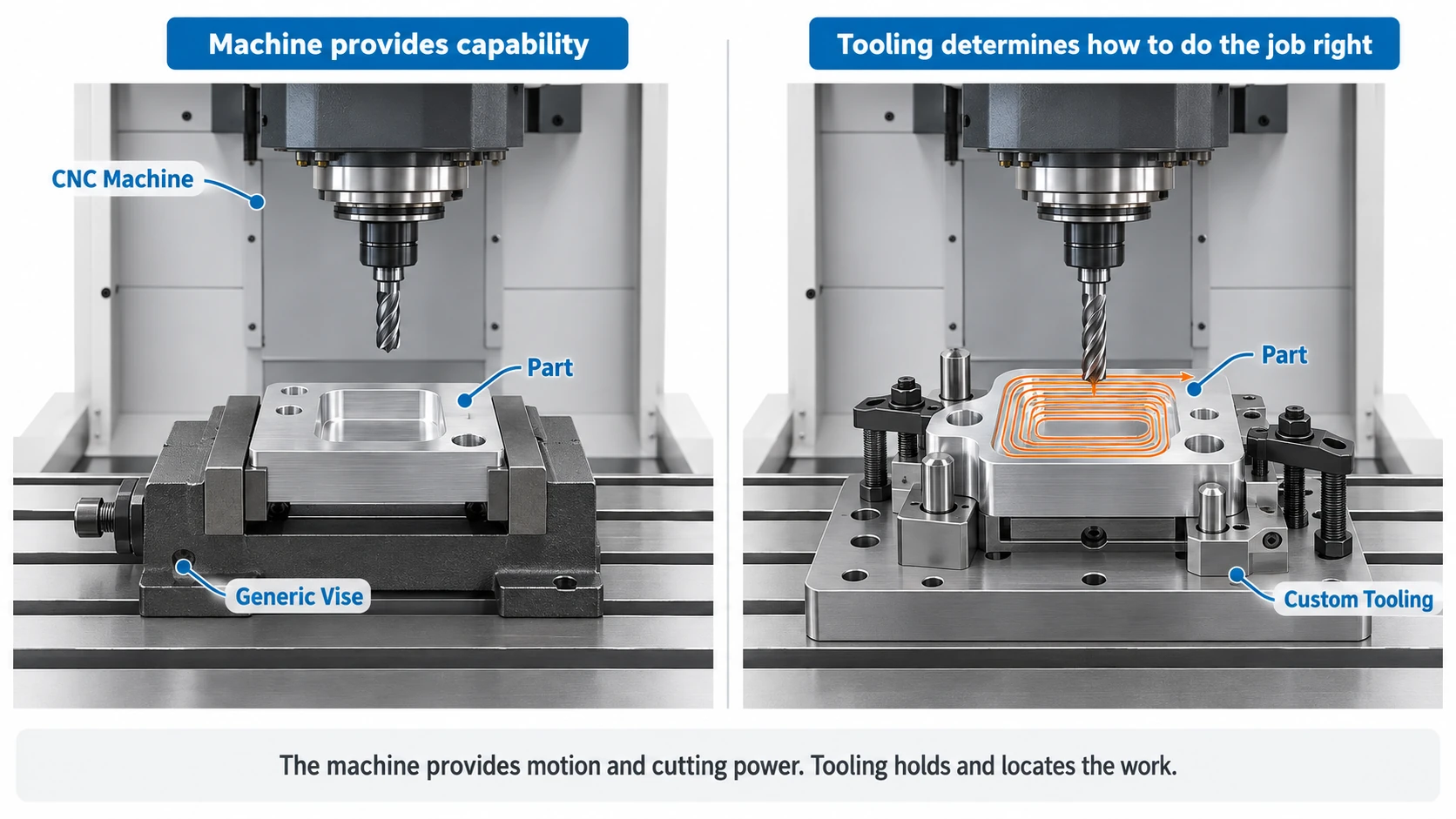
When standard toolholders cannot safely reach difficult areas, we may use shrink-fit toolholders, smaller cutters, or adjusted machining strategies to improve access and stability.
The goal is simple: make the toolpath safe, reduce machining risk, and keep the part stable from roughing to final inspection.
Need Support With a Complex 5-Axis CNC Part?
Send us your CAD files and drawings. Our engineers will review the tool access, machining risks, fixture setup, and recommend a stable 5-axis CNC machining solution.
Upload CAD for QuoteWhen Do You Need Professional 5-Axis Programming?
You may need professional 5-axis programming when your part has features that are difficult to reach with standard 3-axis machining.
This often includes:
- Deep cavities
- Undercuts
- Angled holes
- Complex curved surfaces
- Multi-face machining
- Thin walls
- Tight positional tolerance
- Aerospace brackets
- Medical implants
- Robotics components
- Complex aluminum housings
If your part needs several setups on a 3-axis machine, 5-axis programming may help reduce clamping errors and improve consistency.
If the part has high-value material or tight tolerance, good programming becomes even more important. One wrong move can waste material, machine time, and delivery schedule.
Conclusion
5-axis CNC programming is much more than creating a toolpath.
It is about understanding the part, choosing the right machining strategy, controlling tool angles, avoiding collision, and making sure the NC code matches the real machine.
For simple parts, 3-axis programming may be enough.
For complex parts with angled features, deep cavities, undercuts, or tight tolerance, 5-axis programming can make a big difference.
Frequently Asked Questions
Yes, it is more difficult than 3-axis programming. The programmer needs to control tool movement, rotary axes, tool angle, collision risk, and post processing. Experience matters a lot.
No. Many parts can be made with 3+2 machining. Simultaneous 5-axis machining is mainly used for complex curves, freeform surfaces, and parts that need continuous tool angle changes.
CAM software can create toolpaths, but the programmer still needs to check tool access, collision, machining order, surface finish, and machine safety. Automatic does not always mean safe.
Simulation helps check collision, tool holder clearance, fixture interference, rotary axis movement, and unsafe retract paths. This is especially important for expensive parts and complex setups.
A 5-axis post processor converts CAM toolpaths into NC code for a specific CNC machine and controller. It must match the machine structure, rotary axes, and controller settings.
Yes. If the post processor does not match the machine correctly, the machine may move in an unsafe direction. That is why post processors need careful testing.
No. Aerospace is a common application, but 5-axis programming is also used for medical parts, robotics components, automotive parts, molds, fixtures, optical parts, and complex aluminum housings.
Yes. Good programming can reduce setup errors, control tool angle, avoid vibration, improve surface finish, and make the machining process more stable.