How to Use a CNC Machine: Basic Operation Steps

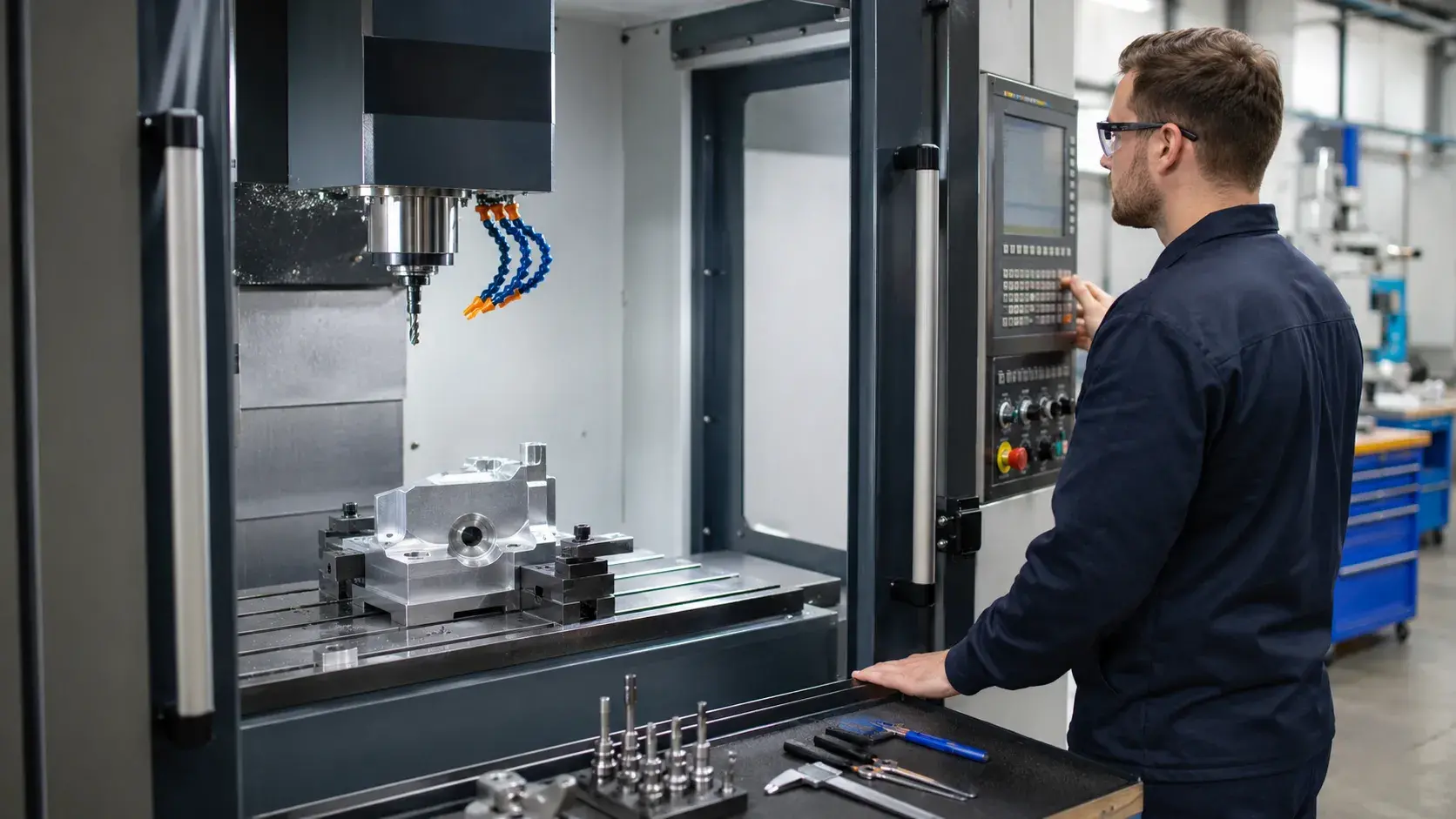
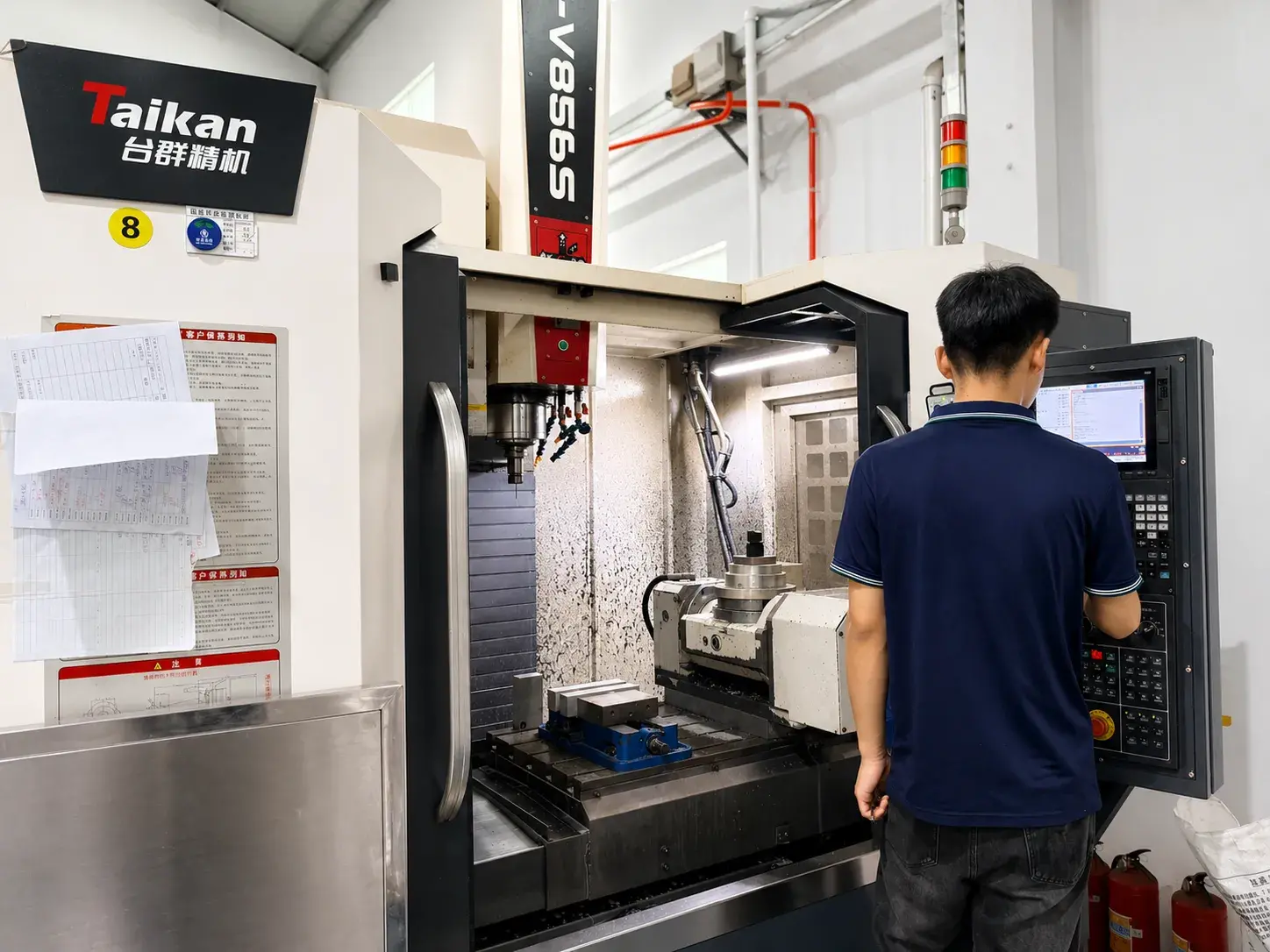
CNC operator setting up a CNC milling machine in a modern workshop

Using a CNC machine means preparing the machine, setting up the workpiece and tools, running the CNC program, and checking whether the finished part meets the required dimensions.

Before a part can be machined, the operator needs to understand the drawing, prepare the material, set up the workholding, install the correct tools, load the CNC program, check the coordinates, and make sure the first part is safe to cut.

For beginners, CNC operation may look complicated at first. But if you break it down step by step, the process becomes much easier to understand.

What Does It Mean to Use a CNC Machine?

To use a CNC machine means to control a computer numerical control machine to cut, drill, mill, turn, or shape a material into a finished part.

The operator does not move the cutting tool by hand like in manual machining. Instead, the machine follows a CNC program. This program tells the machine where to move, how fast to cut, how deep to machine, and which tool to use.

However, the operator still plays a very important role.

A CNC machine cannot judge everything by itself. The operator needs to check the drawing, confirm the material, clamp the part correctly, set the work coordinate system, inspect the tools, and monitor the machining process.

Basic CNC Machine Operation Process

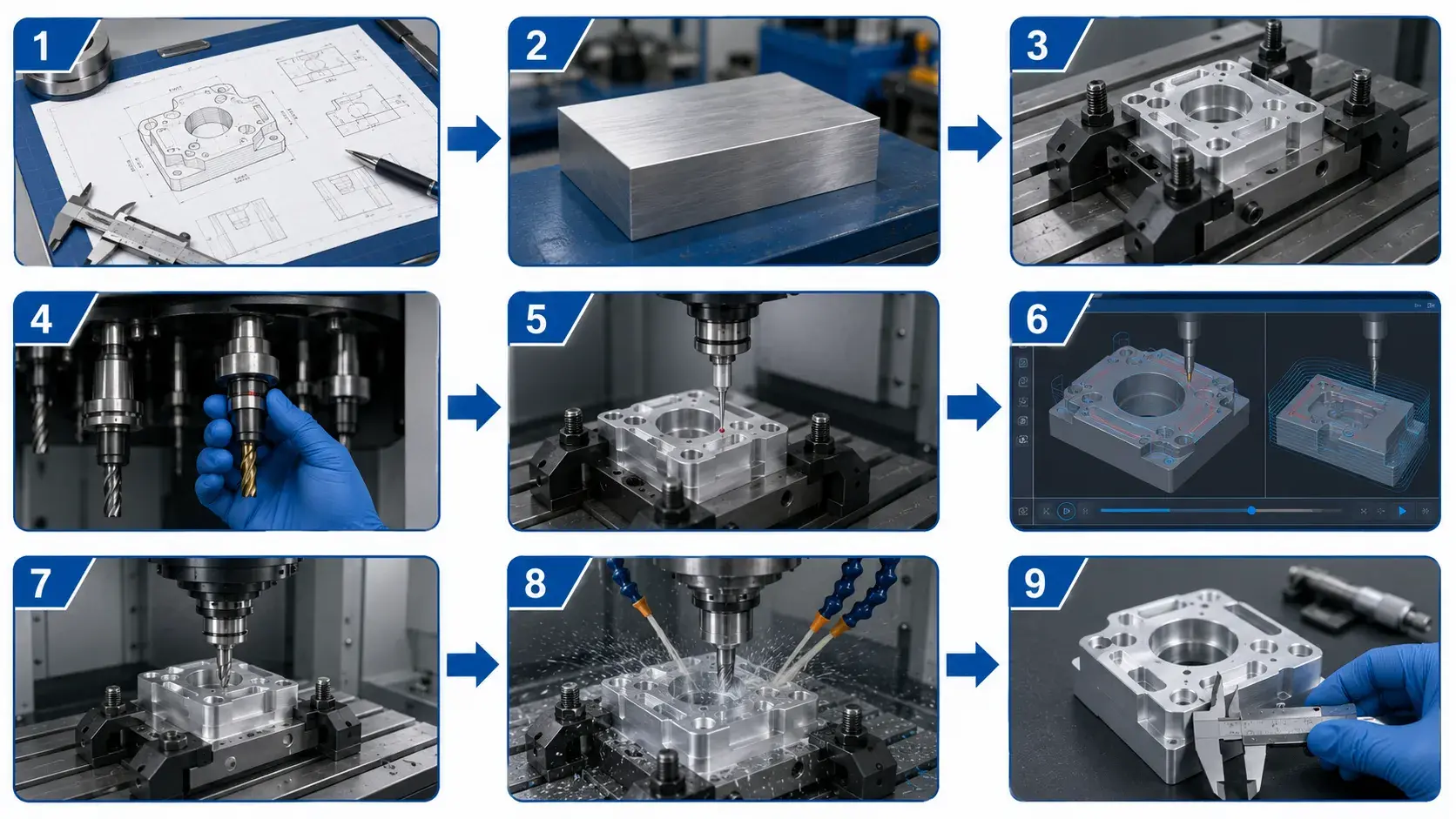
Basic CNC machine operation process from drawing review to final inspection

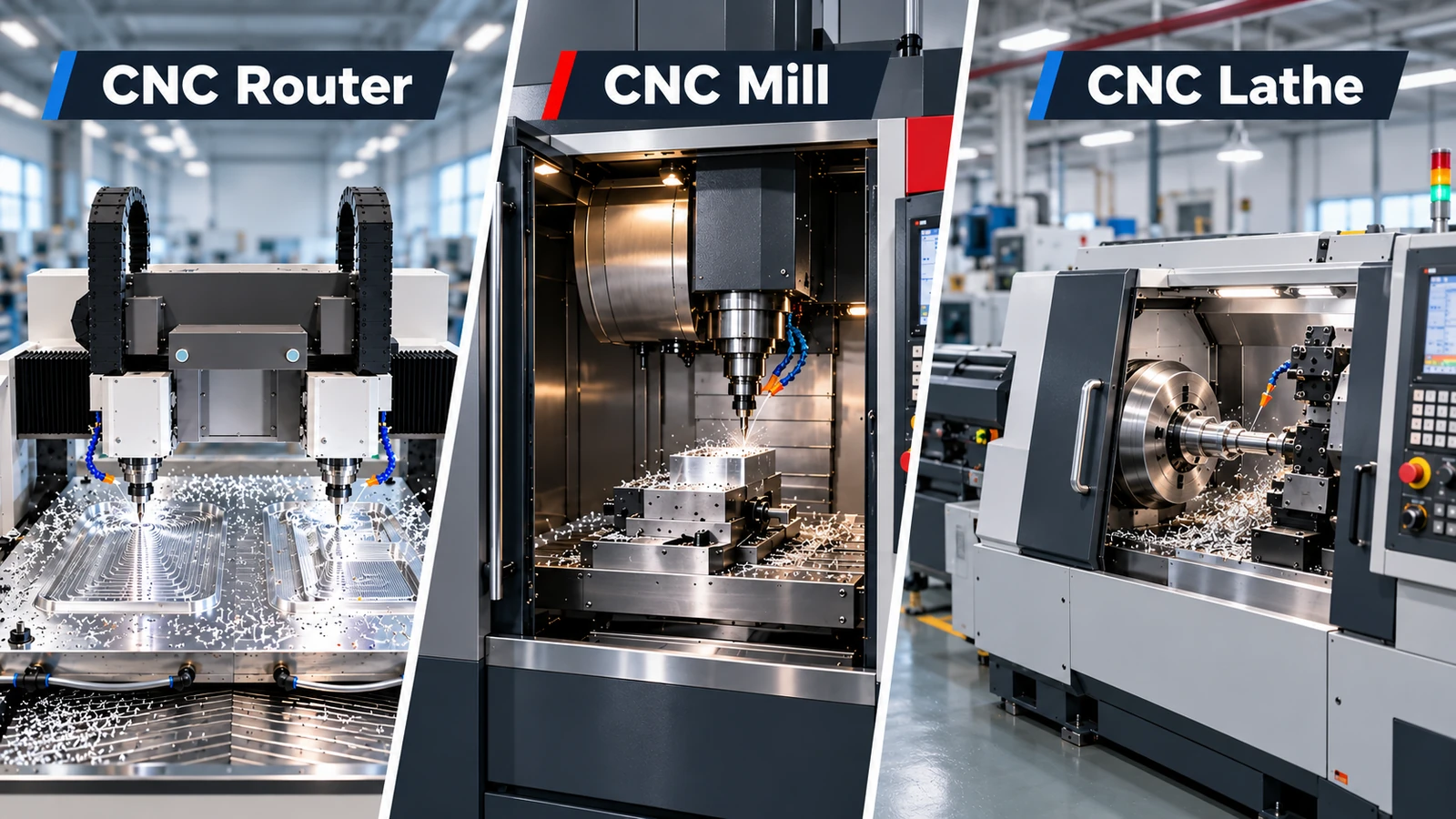
Different CNC machines may have different controls, structures, and machining methods. For example, a CNC milling machine, CNC lathe, 5-axis machine, and CNC router are not operated in exactly the same way.

But the basic operation logic is similar.

Most CNC machining work follows this process:

Review the Drawing and Machining Specifications

Before operating a CNC machine, the operator should thoroughly understand the part drawing.
This involves examining the part dimensions, tolerance levels, material type, surface finish requirements, location of holes, threading details, and any specific instructions provided.

This process allows the operator to visualize the final product and identify which features require careful handling.
Features such as tight-tolerance holes, threaded sections, and critical surfaces typically need more precise setup and thorough inspection.

Prepare the Material and Secure the Workpiece

After reviewing the drawing, the operator prepares the raw material and confirms that the stock size matches the specifications.
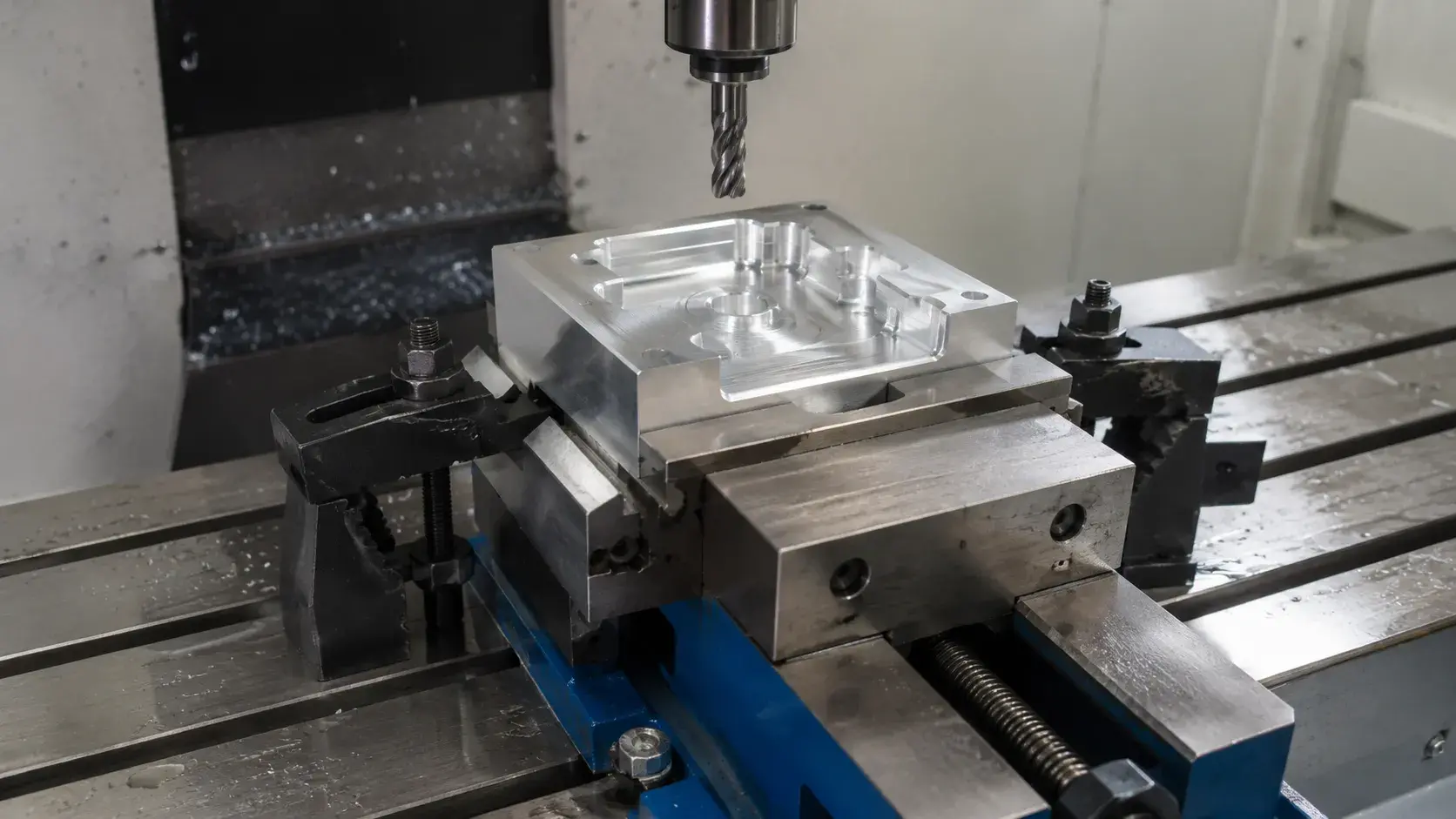
Aluminum workpiece clamped securely in a CNC milling vise

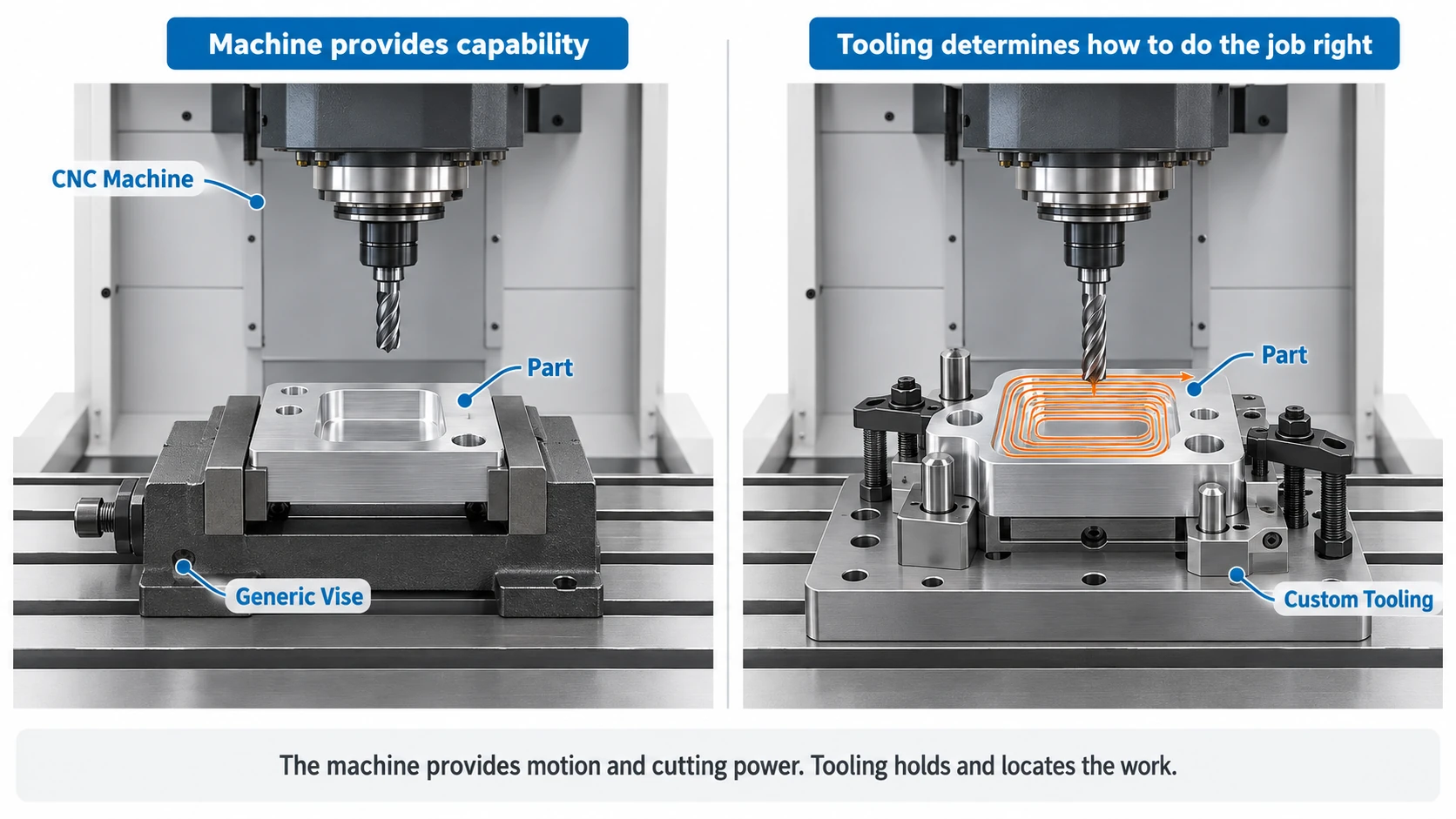
The workpiece must be securely clamped in place.
For CNC milling, this may be done using a vise, fixture, clamps, or soft jaws.For CNC turning, the part is typically held with a chuck, collet, or bar feeder.

Proper workholding ensures the part remains stable during machining, preventing movement, inaccuracies, tool damage, or machine malfunctions.

Install the Cutting Tools

The next step is to install the correct cutting tools.

A CNC mill may use end mills, drills, ball nose cutters, chamfer tools, or thread mills.
A CNC lathe may use turning tools, boring bars, grooving tools, threading tools, or parting tools.

Before starting machining, the operator should verify the tool number, tool length, diameter, and condition.
Using incorrect or damaged tools can result in poor dimensions, inferior surface finish, or tool breakage.

Establish the Work Coordinate System
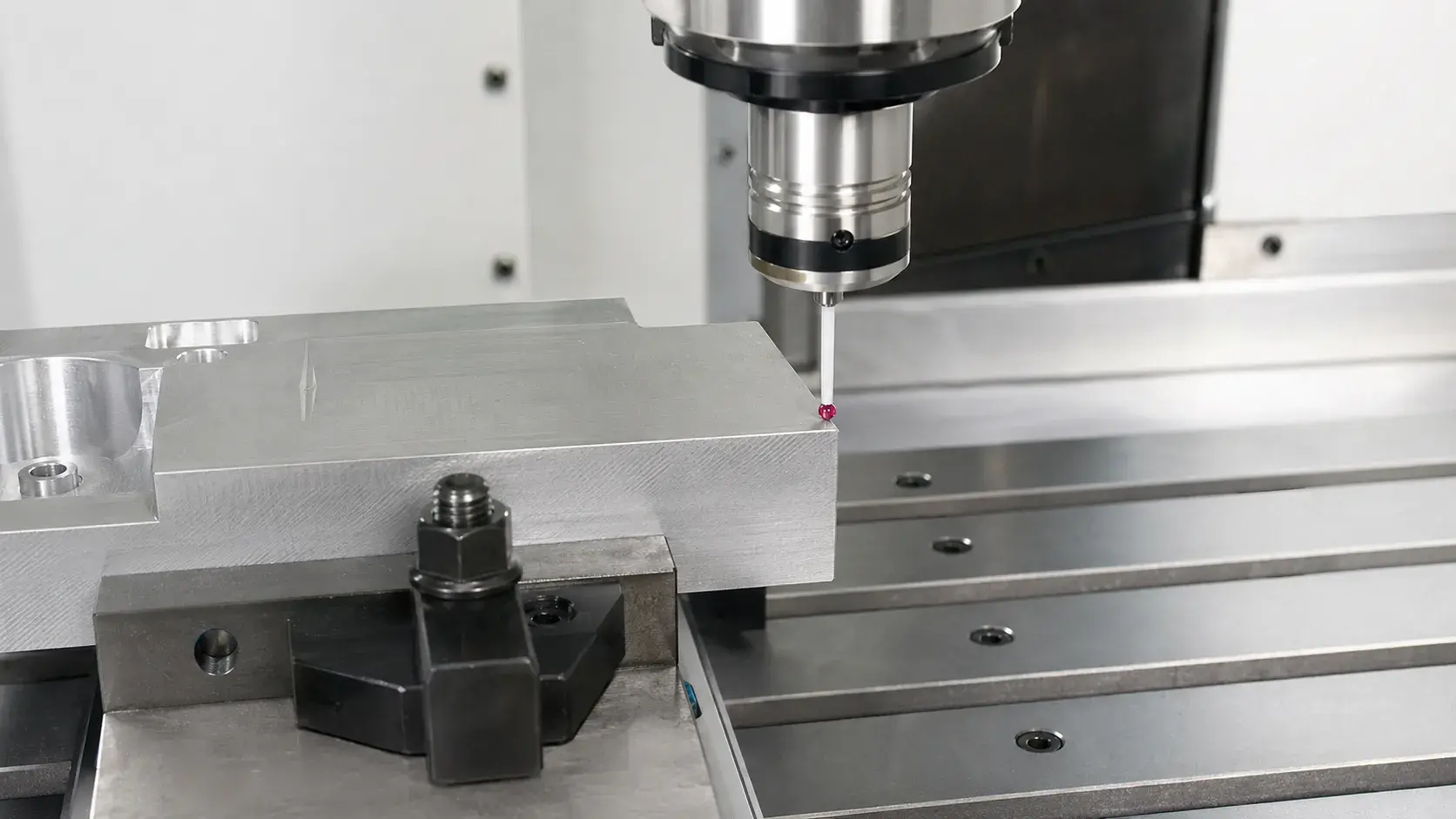
CNC touch probe setting the work zero on an aluminum workpiece

The CNC machine must be programmed to recognize the exact position of the workpiece.
This is known as setting the work coordinate system, work zero, or part zero.

For milling, the work zero may be established at a corner, center point, or top surface of the part.
For turning, it is typically based on the part face and centerline.

An incorrect work zero can cause the machine to cut in the wrong location, which is why operators often use probes, edge finders, indicators, or touch-off methods to ensure accurate positioning.

Load and Verify the CNC Program

Once the setup is complete, the CNC program is loaded into the machine control system.

Before starting the program, the operator should confirm that the correct program is selected, tool numbers match, offsets are accurate, and the feed rate and spindle speed are appropriate.

This step helps prevent common errors such as using the wrong program, wrong tool, or incorrect offset.

Conduct a Dry Run or Simulation

Before machining the actual part, many operators perform a dry run or simulation.

A dry run allows the machine to move through the program without cutting the material or with the tool positioned at a safe distance.
This helps to verify the tool path, tool changes, and machine movement.

For complex parts, especially those requiring 4-axis or 5-axis machining, simulation can detect potential collisions before actual machining begins.

Begin the Machining Process

After all checks have been completed, the operator can commence machining.

For the first part, it is standard practice to operate the machine at a slower speed, closely monitor the cutting process, and pause to inspect key dimensions as needed.

During machining, the operator should observe cutting sounds, vibrations, chip formation, coolant flow, and tool condition.
Any unusual noises or movements should be addressed immediately.

Inspect the Finished Part

Once machining is complete, the finished part should be inspected.
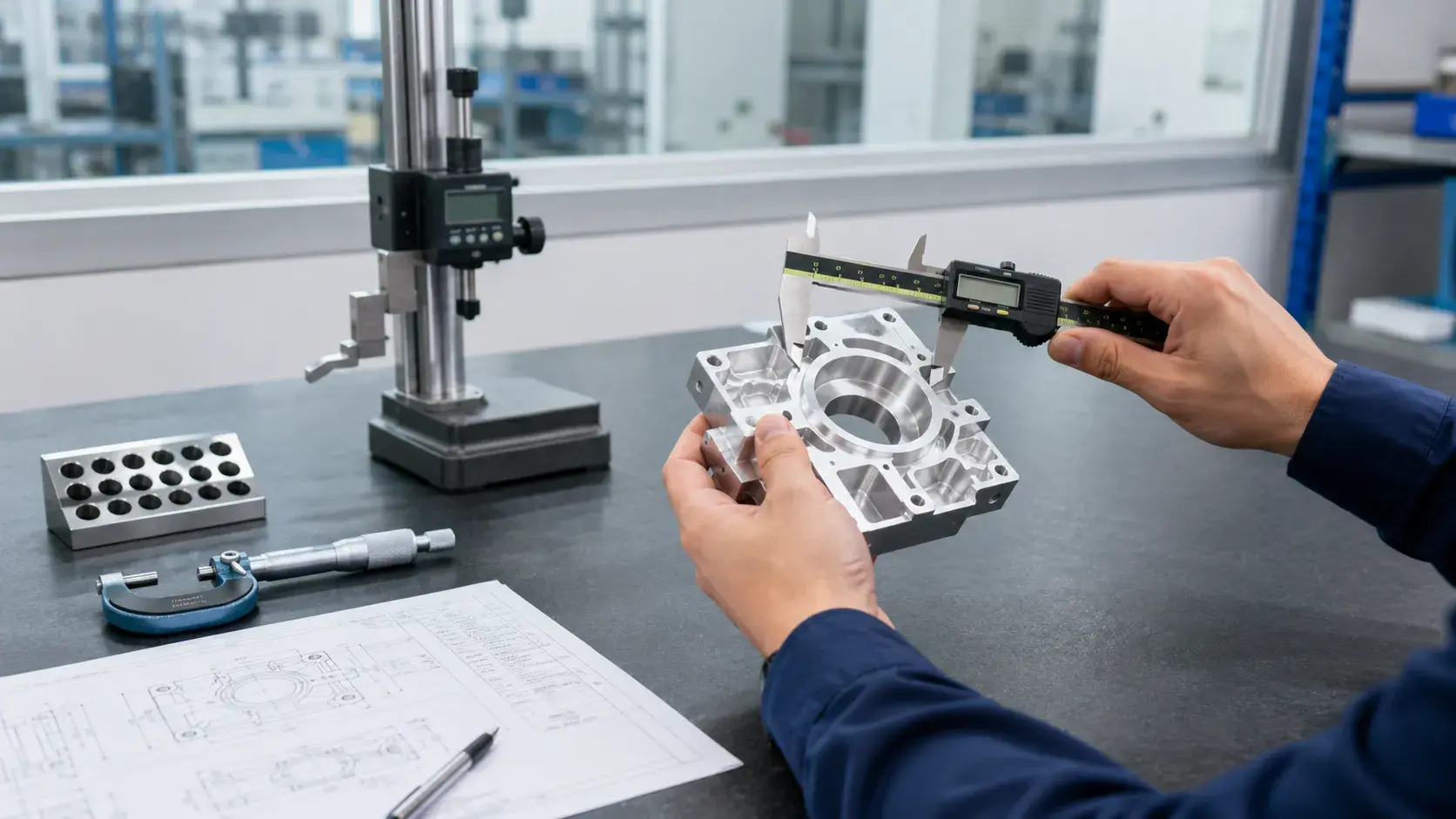
Finished CNC machined part inspected with digital calipers

Depending on the required accuracy, the operator may use calipers, micrometers, gauges, height gauges, surface roughness testers, or a coordinate measuring machine (CMM) for inspection.

The first part is particularly important.

If it is accurate, production can proceed confidently.If there are issues, the operator may need to adjust the tool offset, work offset, program, or machining process.

How to Operate a CNC Machine Safely

CNC machines are strong and can cut metal quickly and with a lot of force, so safety is very important.
5-axis 3+2

Before starting the CNC machine, the operator must ensure that the workpiece is securely fastened, the cutting tool is properly installed, the machine door is closed, and the program has been thoroughly reviewed.

Operators must never place their hands close to moving tools, spinning spindles, or flying chips while the machine is in operation.

Wearing safety goggles, using appropriate clothing, and maintaining a clean workspace are also essential.
Worn or loose clothing, gloves near moving parts, or long hair that is not properly covered can lead to serious injuries.

The emergency stop button should always be within easy reach.
If anything sounds unusual, moves incorrectly, or appears unsafe, the operator should stop the machine right away and inspect the issue.
Common Mistakes When Operating a CNC Machine

A lot of issues that happen during CNC machining often come from basic setup errors.

One frequent error is choosing the incorrect work offset.
If the machine does not have the right part zero setting, the cutting tool will not position itself correctly, leading to improper cuts.

Another common problem is using the wrong tool number or incorrect tool length offset.
This can cause the tool to cut too deeply or even collide with the workpiece.

Insufficient clamping is also a significant problem.
If the workpiece moves during machining, the resulting part may not be accurate or could be damaged.

Some new users skip the dry run to save time.
However, this can be dangerous, especially when working with unfamiliar programs or complex parts.

Additionally, neglecting tool wear is a problem.
Even if a tool appears to be in good condition, prolonged use can lead to poor surface quality or incorrect dimensions.

In CNC machining, minor errors can result in costly outcomes.
Taking time to carefully set up the machine is usually more efficient than dealing with damaged or faulty parts later.

CNC Machine Operation vs CNC Programming

CNC operation and CNC programming are connected, but they are different tasks.

CNC programming involves making the instructions that guide the machine in cutting the desired part.
This process may include using CAD drawings, CAM software, planning tool paths, determining cutting parameters, and generating G-code.

CNC operation refers to the setup and running of the machine according to the program.
The operator is responsible for preparing the material, securing the workpiece, installing tools, setting up offsets, executing the program, and inspecting the final part.

In smaller shops, it is common for one individual to handle both programming and operation.
However, in larger CNC machine shops, these roles are typically performed by different individuals.

Both roles are essential.
Even with a well-written program, proper setup and careful operation are necessary.A skilled operator can also provide valuable insights that help improve the machining process.

For high-precision parts, programming, setup, machining, and inspection all need to work together effectively.

Conclusion

Using a CNC machine is a step-by-step process. It starts with understanding the drawing, preparing the material, setting up the workholding, installing the right tools, checking the CNC program, running a dry run, machining the part, and inspecting the final dimensions.

For simple parts, the process may look straightforward. But for tight-tolerance or complex components, careful setup and inspection are just as important as the machine itself.

At YUANYI, our team supports CNC machining projects from drawing review and DFM feedback to machining, inspection, and final delivery. Whether you need prototypes, low-volume parts, or precision production components, we help make sure each part is machined accurately and checked before shipment.

Need CNC Machined Parts?

Send us your drawing, and our engineering team will review the details, suggest a suitable machining solution, and provide a fast quote for your custom parts.

Request a Quote

FAQ About Using a CNC Machine

Using a CNC machine is not difficult to understand at a basic level, but becoming a skilled operator takes time. You need to learn machine controls, workholding, tools, offsets, cutting conditions, safety rules, and inspection methods.

A beginner can operate a CNC machine with proper training and supervision. However, beginners should not run complex parts alone before they understand machine safety, setup procedures, and basic troubleshooting.

Not always. Some CNC operators mainly load programs, set up tools, run parts, and inspect dimensions. However, understanding basic CNC programming and G-code can help operators find problems faster and communicate better with programmers.

The first step is to understand the part drawing and machining requirements. Before setting up the machine, you need to know the material, dimensions, tolerances, surface finish, and any special features on the part.

To run a CNC machine, you prepare the material, clamp the workpiece, install the cutting tools, set the work coordinate system, load the CNC program, check the setup, run a dry run, start machining, and inspect the finished part.

Before starting the machine, check the workholding, tool setup, work offset, tool offset, CNC program, coolant, machine door, and emergency stop. For a new program, a dry run or simulation is strongly recommended.

A CNC mill usually uses rotating cutting tools to machine a fixed workpiece. A CNC lathe rotates the workpiece while a cutting tool shapes the outside or inside diameter. Their setup methods, tools, and machining movements are different, but both require accurate workholding, tool offsets, and process control.

Yes, CNC machines can run automatically after the program and setup are complete. However, operators still need to monitor the machining process, check tool wear, inspect parts, and handle any problems during production.

Table of Contents
Discuss Your Complex Machining Requirements

Need Custom CNC Machined Parts?

From rapid prototypes to low-volume production, our engineering team can review your drawings and provide a manufacturing quote.

  • 24-Hour Quotation
  • DFM Engineering Support
  • No Minimum Order
  • ISO 9001 Certified
Request A Quote
Upload your drawing and get a quote within 24 hours.