Engineering Drawing Symbols and Abbreviations: Complete Guide for CNC Machining

When you send a CNC machining project to a manufacturer, one of the first things engineers typically examine is your drawing.A well-prepared engineering drawing provides the manufacturer with most of the information they need, such as:

  • The size of the part
  • The allowed degree of variation in measurements (tolerances)
  • The desired smoothness of the surface (surface finish)
  • The positions of holes, threads, and important features

However, many CNC drawings use various engineering drawing symbols and abbreviations.These can be challenging for someone who does not work with drawings regularly to understand.

Let’s take a closer look at the common engineering drawing symbols, mechanical drawing abbreviations, and CNC drawing notes that our engineers frequently encounter in real CNC machining projects.

What Is an Engineering Drawing?

An engineering drawing is a technical document that gives detailed information on how a mechanical part should be made.
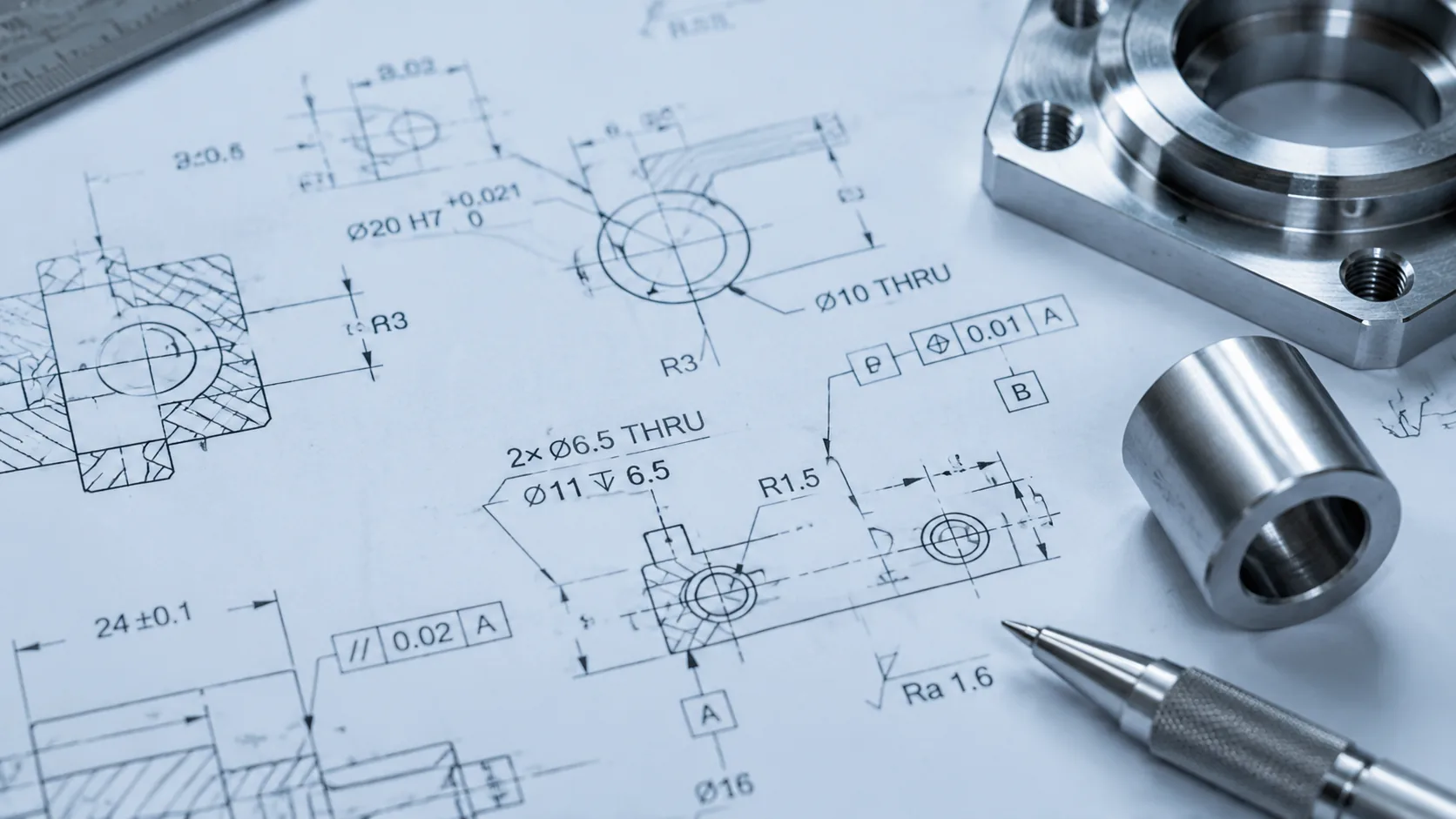
Close-up of engineering drawing symbols
Unlike a simple sketch, an engineering drawing specifies the exact requirements needed for production, inspection, and assembly.

A typical CNC machining drawing includes:

  • Part dimensions and shape
  • Dimensional tolerances
  • Material specifications
  • Surface finish requirements
  • Details about holes and threads
  • Geometric Dimensioning and Tolerancing (GD&T)
  • Notes about manufacturing and inspection

For CNC manufacturers, engineering drawings are essential for planning the machining process.Engineers use the information from these drawings to choose machining methods, plan tool paths, set cutting parameters, and decide on inspection procedures.

Why Do Engineering Drawing Symbols Matter in CNC Machining?

Engineering drawing symbols are important in CNC machining because they allow designers and manufacturers to clearly share technical details in an easy-to-understand manner.

Even a small symbol on a drawing can significantly influence how a part is made.
It can provide information about the size, accuracy, surface finish, or exact placement of a part’s features.

For example:

  • “Ø10” indicates that a feature has a diameter of 10 millimeters.
  • “R5” means a rounded feature has a radius of 5 millimeters.
  • “Ra 0.8” tells the manufacturer that the surface needs to have a specific level of roughness.

In CNC machining, these symbols impact several key areas:

Machining Process

Different symbols may call for different machining techniques.

While a standard hole and a high-precision hole might look the same, the latter may require better tools, more time, or extra checks to ensure accuracy.

CNC Programming

Machinists use the information from drawings to create CNC programs.

Dimensions, tolerances, and feature placements help determine:

  • The path the cutting tool will follow
  • The order in which parts are machined
  • How the machine is set up

Quality Inspection

Drawing symbols also guide inspectors on what to check.

For instance, if a drawing includes GD&T specifications, it might require using a Coordinate Measuring Machine (CMM) to confirm the position or alignment of a feature.

Having a clear understanding of these symbols ensures that the final part is made exactly as designed.

Common Engineering Drawing Abbreviations Used in CNC Machining

For engineers and machinists, understanding these terms helps avoid mistakes during programming, machining, and inspection.

Below are some of the most common engineering drawing abbreviations used in CNC machining.

Dimension Abbreviations

These abbreviations are mainly used to describe the size, shape, and measurement requirements of a part.

AbbreviationMeaningExample
Ø / DIADiameterØ10 hole means a 10mm diameter hole
RRadiusR5 means a 5mm radius
TOLToleranceAllowed variation of a dimension
REFReferenceInformation only, not used for machining control
THKThicknessMaterial or feature thickness
DEPDepthRequired depth of a hole or feature

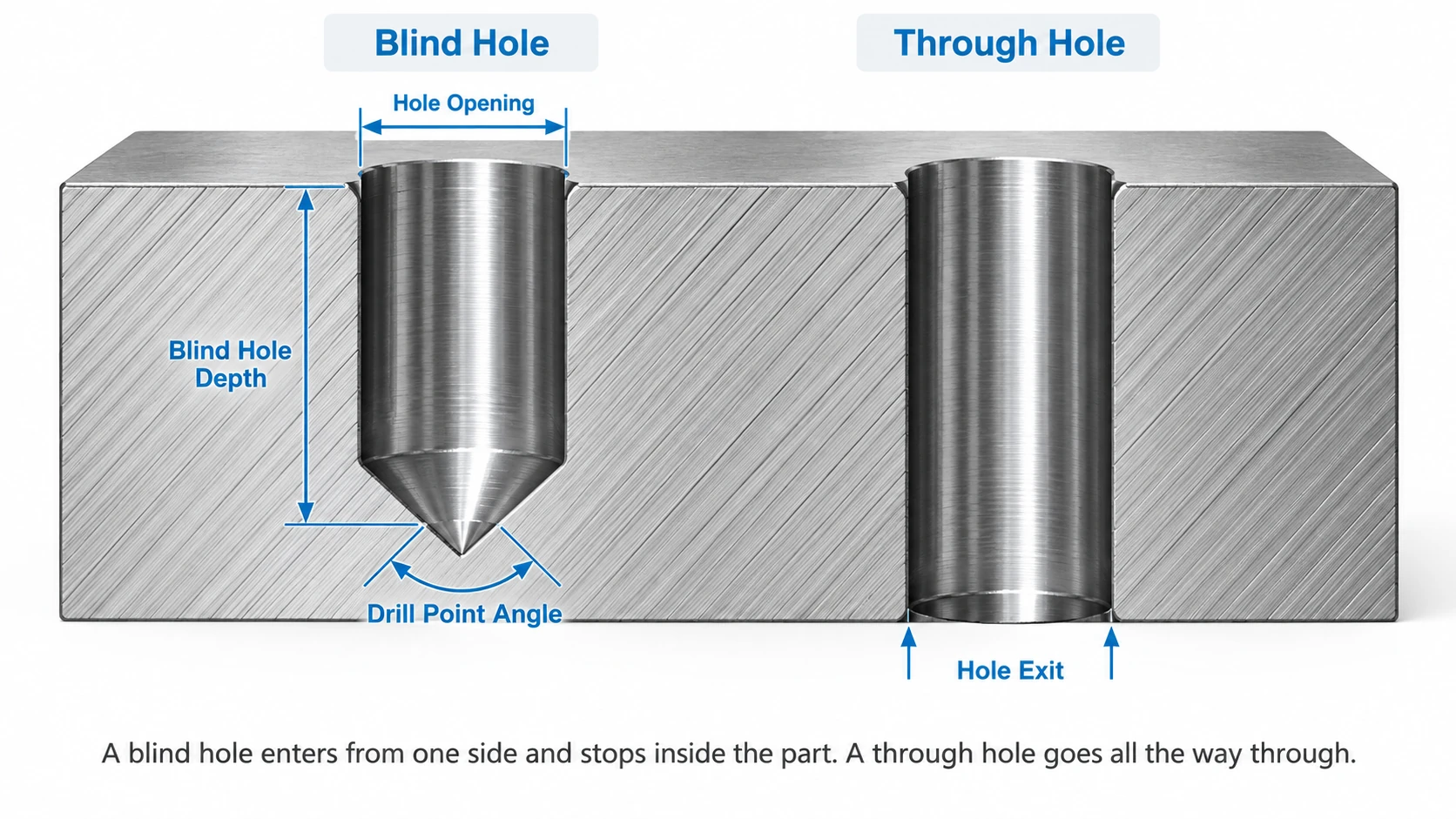
For example, a drawing may show Ø8 THRU. This means the part requires an 8mm diameter hole that goes completely through the material.

Hole and Feature Abbreviations

Hole requirements are common in CNC drawings because many machined parts need drilling, tapping, or counterbore features.

AbbreviationMeaningCNC Application
THRUThrough holeHole passes completely through the part
CBORECounterboreFlat-bottom recess for screw heads
CSKCountersinkAngled opening for screw installation
CBChamferAngled edge or corner
TAPTapped holeInternal thread machining
DPDepthSpecifies hole depth

For example:

M6 TAP DP10

means the part requires an M6 threaded hole with a thread depth of 10mm.

This information helps machinists choose the correct tools and machining steps.

Manufacturing and Inspection Abbreviations

Some abbreviations relate to machining requirements, quality control, and inspection.

AbbreviationMeaningDescription
CNCComputer Numerical ControlAutomated machining process
CMMCoordinate Measuring MachinePrecision inspection equipment
GD&TGeometric Dimensioning and TolerancingControls feature accuracy and position
RaSurface RoughnessIndicates surface finish requirements
NTSNot To ScaleDrawing is not shown in actual proportion
ISOInternational Organization for Standardization

Common manufacturing standards

For CNC manufacturers, these abbreviations are more than simple notes on a drawing. They provide important instructions about how the part should be machined and inspected.

Common Engineering Drawing Symbols Explained

For CNC machining, even a small symbol can change how a part is manufactured. Understanding these common engineering drawing symbols helps avoid mistakes and ensures the final part meets the original design.

Dimension Symbols

Dimension symbols are frequently found on CNC drawings. They are used to specify the size and shape of different features.

SymbolMeaningExample
ØDiameterØ20 means a 20mm diameter hole or circular feature
RRadiusR5 means a 5mm radius
±Plus/Minus Tolerance10 ±0.02 means the size can vary within this range
°Angle45° indicates an angled feature

Hole Feature Symbols

Many CNC machined parts contain different types of holes for screws, bolts, and assembly purposes.
Engineering drawings use specific symbols to describe these features.

Symbol / AbbreviationMeaningExample
THRUThrough holeØ8 THRU
CBORECounterboreØ10 CBORE Ø18 × 5
CSKCountersinkØ6 CSK 90°

Through Hole (THRU)

THRU indicates that the hole passes completely through the part.

Example:

Ø6 THRU

This tells the machinist to create a 6mm hole that goes through the entire material thickness.

Counterbore (CBORE)

A counterbore is a flat-bottom recess around a hole.

It is commonly used when a screw head needs to sit flush with or below the surface.

Example:

Ø5 CBORE Ø10 × 4

means:

  • Main hole diameter: 5mm
  • Counterbore diameter: 10mm
  • Counterbore depth: 4mm

Countersink (CSK)

A countersink is a cone-shaped opening at the top of a hole.

It is commonly used for flat-head screws.

Example:

Ø6 CSK 90°

means the hole requires a 90-degree countersink.

Thread Symbols

Thread information is also commonly shown on CNC drawings because it defines the type and size of internal or external threads.

Common examples include:

SymbolMeaning
M6 × 1.0Metric thread
M8 × 1.25Metric coarse thread
1/4-20 UNCUnified coarse thread
1/4-28 UNFUnified fine thread

For example, M6 × 1.0 TAP means the part requires an M6 threaded hole with a 1.0mm pitch.

Thread details are important because using the wrong thread size or depth can prevent parts from fitting together properly.

Surface Finish Symbols

Surface finish symbols are used on engineering drawings to define how smooth or rough a machined surface should be.
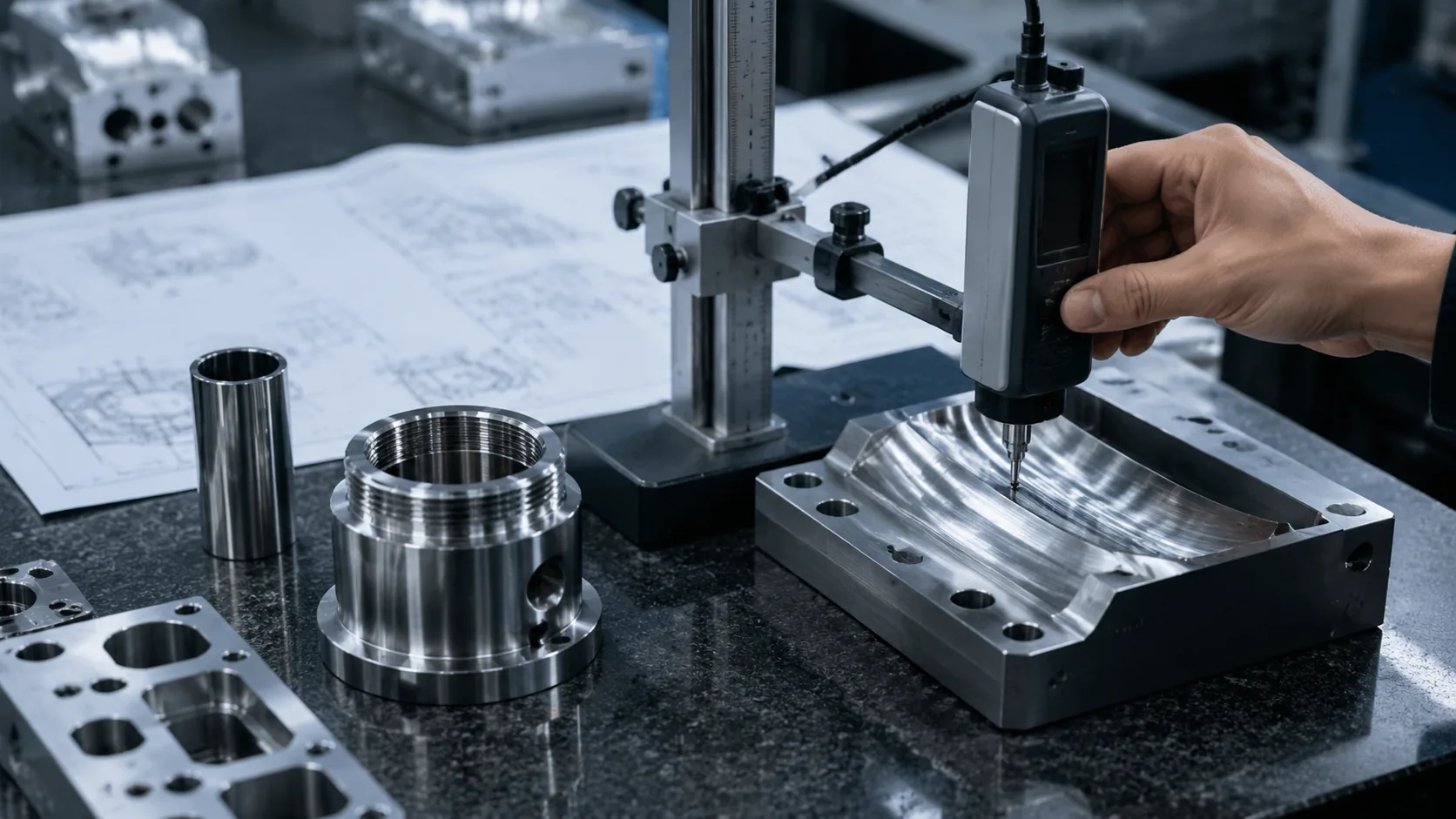
CNC machined part surface finish inspection

Common surface finish requirements are usually expressed using Ra (surface roughness).

Symbol / TermMeaningExample
RaAverage surface roughnessRa 3.2 indicates a standard machined finish
RzMaximum height roughnessUsed for specific surface requirements
√Surface finish symbolIndicates a required surface finish

Common Ra Values in CNC Machining

Ra ValueTypical Application
Ra 3.2 μmStandard CNC machining finish
Ra 1.6 μmFine machining finish
Ra 0.8 μmPrecision machined surface
Ra 0.4 μm or lowerHigh-precision finishing requirements

For example:

Ra 0.8

means the surface needs to be machined to a roughness level of 0.8 micrometers.

A lower Ra value means a smoother surface, but achieving a smoother finish usually requires more machining time, better tooling, or additional finishing processes.

GD&T Symbols Used in CNC Machining

GD&T (Geometric Dimensioning and Tolerancing) is a system used on engineering drawings to control the accuracy of a part’s shape, position, and orientation.
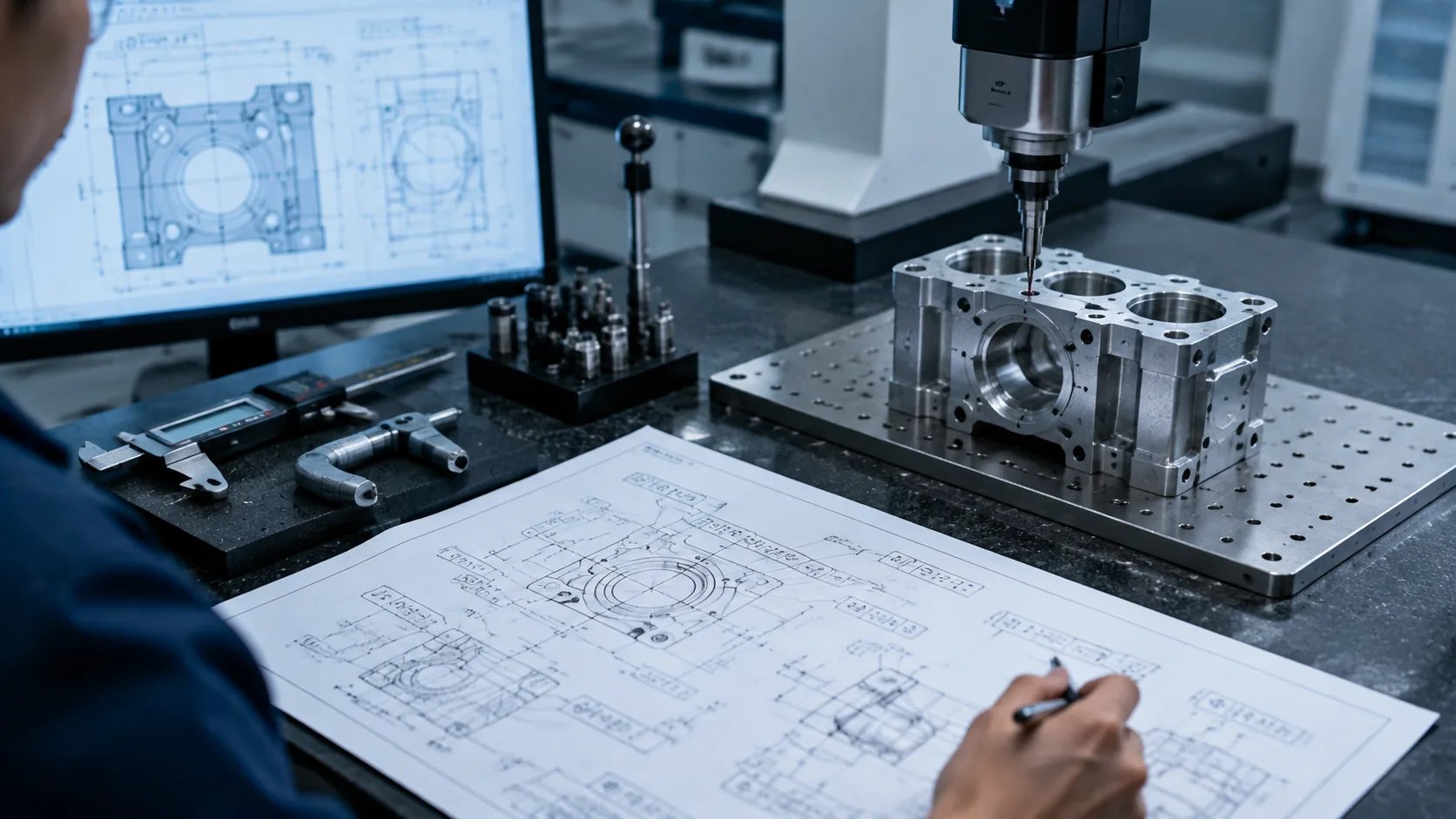
GD&T symbols used in CNC inspection

Simply put, normal dimensions tell us how big a feature is, while GD&T tells us how accurately that feature needs to be located or formed.

For CNC machining, GD&T is especially important for precision parts where multiple components need to fit together correctly. It helps engineers and manufacturers clearly define critical requirements and avoid different interpretations of a drawing.

Form Control Symbols

Form controls define the basic shape accuracy of a feature. They do not require a reference point or datum.

Common form controls include:

SymbolMeaningCNC Application
⏥FlatnessControls the flatness of machined surfaces
—StraightnessControls the straightness of edges or surfaces
○CircularityControls round features such as shafts or holes

Orientation Control Symbols

Orientation controls define how one feature should be positioned relative to another feature.

Common examples include:

SymbolMeaningCNC Application
∥ParallelismEnsures two surfaces stay parallel
⊥PerpendicularityControls 90-degree relationships
∠AngularityControls features at a specific angle

Location Control Symbols

Location controls define where a feature should be placed.

SymbolMeaningCNC Application
◎PositionControls the exact location of holes or features
◎ConcentricityControls alignment between circular features

The position tolerance symbol is one of the most commonly used GD&T symbols in CNC drawings.

For example, a part may have several mounting holes that need to align perfectly with another component. In this case, position tolerance ensures the holes are machined in the correct location.

Runout Control Symbols

Runout controls are mainly used for rotating parts.

SymbolMeaningCNC Application
Circular RunoutControls variation during rotationShafts, bearings, and turned parts
Total RunoutControls the entire surface variationHigh-precision rotating components

In real CNC projects, GD&T requirements often affect machining methods, fixture design, and inspection processes. Parts with strict GD&T requirements usually need more careful planning and precise measurement before shipment.

At YUANYI, our engineers review GD&T requirements together with part geometry and machining processes to ensure each precision component meets the customer’s drawing requirements.

Common CNC Drawing Notes and Callouts

Besides dimensions and symbols, CNC drawings often include additional notes that explain specific manufacturing requirements.

These notes may look simple, but they can affect machining methods, material selection, surface treatment, and inspection requirements. Before production starts, engineers usually review these details carefully to make sure the part can be manufactured as expected.

Below are some common CNC drawing notes you may see on engineering drawings.

General Tolerance Notes

Not every dimension on a drawing has an individual tolerance. In many cases, the drawing includes a general tolerance note that applies to dimensions without specific requirements.

Common examples include:

Drawing NoteMeaning
±0.1Dimensions can vary within 0.1mm
ISO 2768General tolerance standard
UNLESS OTHERWISE SPECIFIEDDefault tolerance applies unless another value is given

For example, a drawing may specify that all unspecified dimensions follow ISO 2768. This allows manufacturers to understand the expected accuracy without adding a tolerance mark to every single dimension.

Surface Finish Requirements

Surface finish notes define how smooth a machined surface needs to be.

Common examples include:

Drawing NoteMeaning
Ra 3.2Standard machined finish
Ra 1.6Fine surface finish
Ra 0.8Precision surface finish

Different surfaces may have different requirements depending on their function.

For example, a decorative aluminum cover may focus more on appearance, while a sealing surface or sliding component may require a smoother finish for better performance.

Edge and Burr Requirements

Machining processes naturally create sharp edges and small burrs. Drawings often include notes to define how these should be handled.

Common notes include:

Drawing NoteMeaning
BREAK SHARP EDGESRemove sharp corners
REMOVE BURRSRemove machining burrs
CHAMFER EDGESAdd an angled edge

These requirements are especially important for parts used in medical equipment, electronics, and precision assemblies, where sharp edges or leftover burrs can affect safety and assembly.

Material and Treatment Requirements

Engineering drawings may also include notes about material and additional treatments.

Common examples include:

Drawing NoteMeaning
AL 6061Use 6061 aluminum material
SS304Use 304 stainless steel material
ANODIZEApply anodizing surface treatment
HEAT TREATApply heat treatment process

Material and treatment requirements directly affect machining decisions.

For example, machining aluminum 6061 and stainless steel 316 requires different cutting tools, speeds, and processing methods. Surface treatments such as anodizing or plating may also require additional preparation before production.

Understanding these drawing notes helps CNC manufacturers avoid mistakes before machining begins. A complete review of drawing requirements is an important step in producing accurate and reliable parts.

How to Read an Engineering Drawing for CNC Machining

Reading an engineering drawing is not only about checking dimensions. For CNC machining, engineers need to understand the complete part requirements, including material, tolerances, surface finish, and manufacturing notes.

Engineer reviewing CNC machining engineering drawing

Before production starts, a drawing review helps manufacturers choose the right machining process, prepare inspection methods, and identify potential issues early.

The following are the main areas engineers usually check.

Check the Title Block

The title block contains basic information about the part and drawing requirements.

Common information includes:

ItemPurpose
Part nameIdentifies the component
MaterialDefines the required material
Drawing revisionConfirms the latest design version
UnitsShows measurement system
ScaleIndicates drawing proportion

Checking the title block helps ensure the correct drawing version and specifications are used during production.

Review Dimensions and Tolerances

Dimensions define the size of part features, while tolerances define the acceptable variation.

Engineers review tolerances carefully because they affect machining accuracy, process selection, and inspection requirements.

Features with tighter tolerances usually require more precise machining and measurement methods.

Identify Critical Features

Not every feature on a drawing has the same importance.

Engineers usually pay more attention to:

  • Tight tolerance areas
  • Precision holes
  • Thread requirements
  • GD&T-controlled features
  • Assembly surfaces

These features often have a direct impact on part performance and final assembly.

Check Surface Finish Requirements

Surface finish requirements define the required smoothness of machined surfaces.

Engineers review these requirements to determine whether standard machining, additional finishing processes, or special inspection methods are needed.

Review Manufacturing Notes

Manufacturing notes provide additional instructions that may not be shown through dimensions or symbols.

Common notes include:

  • Material requirements
  • Heat treatment
  • Surface treatment
  • Deburring requirements
  • Inspection requirements

Reviewing all drawing details before machining helps manufacturers produce parts that match the original design requirements.

Common Mistakes When Reading CNC Drawings

Even experienced engineers can sometimes miss important details on a CNC drawing. A small misunderstanding of a symbol, tolerance, or note can lead to machining problems, delays, or parts that do not meet the original requirements.

Understanding these common mistakes can help designers and manufacturers communicate more clearly before production begins.

Ignoring Tolerance Requirements

One common mistake is focusing only on part dimensions while overlooking tolerance requirements.

A dimension shows the target size, but the tolerance defines how much variation is acceptable. If a tolerance requirement is missed, the finished part may not fit properly or perform as expected.

For CNC machining, tolerance requirements should always be reviewed before choosing the machining process and inspection method.

Misunderstanding Hole Callouts

Hole specifications often include multiple details, such as diameter, depth, thread type, or special features.

Missing one part of a hole callout can result in incorrect machining.

Engineers should carefully review information such as:

  • Hole diameter
  • Hole depth
  • Thread specifications
  • Counterbore or countersink requirements

Missing Surface Finish Requirements

Surface finish requirements are sometimes overlooked because they may appear as small symbols or notes on a drawing.

However, surface finish can affect part appearance, assembly, sealing performance, and overall function.

Before machining, manufacturers should confirm which surfaces require specific finishes and which areas can use standard machining finishes.

Overlooking GD&T Requirements

GD&T symbols provide important information about the accuracy of a feature’s position, shape, or alignment.

Ignoring GD&T requirements can cause problems, especially for parts that need precise assembly or interaction with other components.

For precision CNC machining projects, GD&T requirements should be reviewed together with dimensions and inspection plans.

A careful drawing review helps prevent mistakes before they happen. Clear communication between designers and CNC manufacturers is one of the most important steps in producing accurate parts.

How YUANYI Reviews Engineering Drawings Before Production

Before beginning a CNC machining project, our engineering team thoroughly examines the customer’s drawings to ensure all specifications are clear and well-defined.

CNC engineering drawing review process

A drawing serves as more than just a guide for measurements.It also provides crucial details about the complexity of the machining process, the steps involved in production, the inspection standards, and any possible challenges that may arise during manufacturing.

During the review of the drawings, our engineers assess several key aspects, including:

  • The shape and structure of the part and whether it can be machined effectively
  • The type of material required for the part
  • The acceptable range of dimensional accuracy
  • The specific geometric dimensioning and tolerancing (GD&T) requirements
  • The desired surface finish
  • Any special manufacturing instructions
  • The criteria for inspecting the finished product

If any ambiguities or potential manufacturing challenges are identified, our engineers promptly reach out to the customer prior to production to prevent unnecessary delays or the need for rework.
Need Help Reviewing Your CNC Drawing?

Send your CAD files or engineering drawings to YUANYI. Our engineers will review your requirements and provide professional CNC machining support.

Get A CNC Quote

FAQs About Engineering Drawing Symbols and Abbreviations

The Ø symbol represents the diameter of a circular feature, such as a hole, shaft, or round section.

For example, Ø10 means the feature has a diameter of 10mm. In CNC machining, this symbol helps manufacturers understand the required size and select the correct machining tools.

The R symbol indicates the radius of a curved feature or rounded edge.

For example, R5 means the feature should have a 5mm radius. Radius requirements are common in CNC milling because they affect tool selection and machining methods.

THRU means that a hole passes completely through the material.

For example, Ø6 THRU indicates a 6mm diameter hole that goes through the entire part thickness.

CBORE means counterbore. It indicates that a hole requires an additional flat-bottom recess around the opening.

Counterbores are commonly used when a screw head needs to sit flush with or below the surface of a part.

GD&T (Geometric Dimensioning and Tolerancing) is a system used to define the accuracy of a part’s shape, position, and orientation.

Compared with normal dimensions, GD&T provides more detailed control over how features should be located and manufactured, especially for precision CNC machining parts.

Common CNC machining file formats include:

  • STEP (.step / .stp)
  • IGES (.igs / .iges)
  • DWG (.dwg)
  • DXF (.dxf)
  • PDF engineering drawings

For CNC production, 3D CAD files are usually preferred because they provide complete part geometry, while PDF drawings provide important details such as tolerances, surface finishes, and manufacturing notes.

Table of Contents
Discuss Your Complex Machining Requirements

Need Custom CNC Machined Parts?

From rapid prototypes to low-volume production, our engineering team can review your drawings and provide a manufacturing quote.

  • 24-Hour Quotation
  • DFM Engineering Support
  • No Minimum Order
  • ISO 9001 Certified
Request A Quote
Upload your drawing and get a quote within 24 hours.